Sound That Stays Behind the Code
Coding already gives your language system enough to do. Variable names, function calls, documentation, error messages, issue tickets, comments, logs, and chat threads all compete for the same mental space. Background music works best when it does not add another stream of words on top of that.
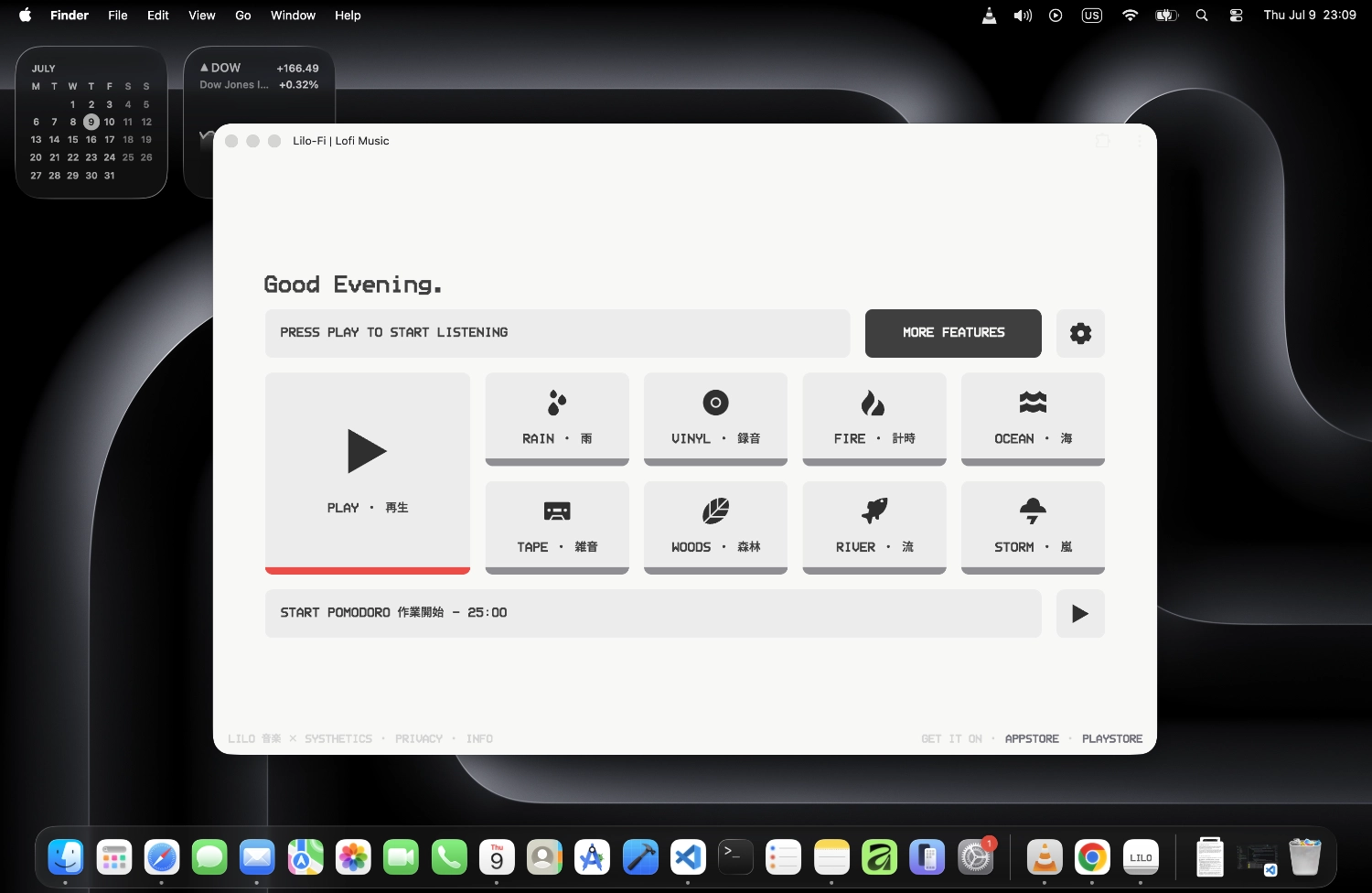
Lilo-Fi is instrumental, so the music can fill the room without putting vocals between you and the text on your screen. It is not meant to become the main event. Start the stream, switch back to your editor, and let it become part of the background while you work.
No Ad in the Middle of a Debugging Session
A difficult bug can take a while to hold in your head. You are tracking state, remembering what changed, comparing logs, and trying not to lose the thread. A random commercial or loud voiceover is exactly the kind of interruption that forces you to reconstruct that context.
Lilo-Fi does not insert ads into the web player, and the Lilo-Fi station stays free from mid-stream ads in the app as well. There is no sign-in prompt, no "are you still listening?" interruption, and no need to keep returning to the player. Leave it in a background tab and keep your attention in the IDE.
For Long Sessions, Not Constant Track Hunting
When the task is a feature that takes two hours, a refactor that touches half the project, or a codebase you are still trying to understand, constantly choosing the next track becomes its own form of procrastination. A radio stream removes that decision.
There is no playlist to manage and no queue to keep checking. The station keeps moving on its own while the overall mood stays consistent. That makes it useful for the parts of programming where you want a little sound around you without turning music selection into another task.
Use a Timer When the Task Starts Expanding
Programming has a habit of swallowing time. One small fix becomes a refactor, a refactor becomes dependency cleanup, and suddenly the entire afternoon has disappeared. A timer can help when you need a boundary around the work instead of another open-ended session.
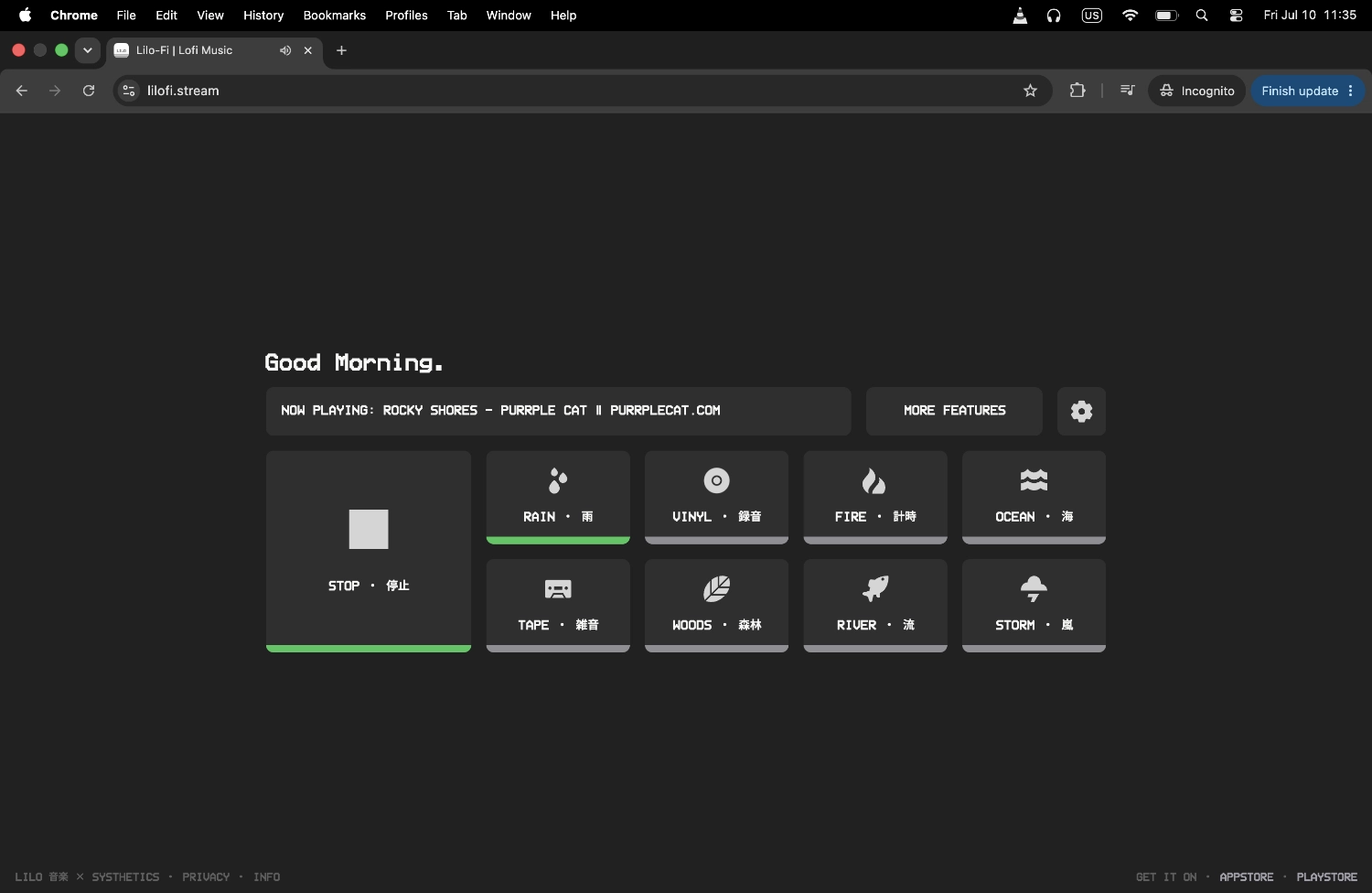
Lilo includes a Pomodoro-style timer alongside the music. Use it for a traditional 25-minute block, a longer deep-work interval, or simply to give a stubborn bug a fixed amount of time before you stop and reassess. The timer and radio live in the same place, so there is one less tool to keep open.
Mask the Room Without Changing the Music
Sometimes the music is fine and the room is the problem. Traffic outside, conversations nearby, a shared workspace, or someone moving around the house can make otherwise quiet work feel unpredictable.
Lilo lets you add ambient layers underneath the station without changing the station itself. Try Rain for a steady background wash, or use Storm, Ocean, Fire, Woods, River, Tape, or Vinyl when you want a different texture. Because the layers are separate, you can adjust the ambience while the same lofi stream keeps running.
Silence Is Still a Valid Option
Not every coding task needs music. If you are learning something particularly difficult, reading dense documentation, or holding several unfamiliar concepts in working memory, silence may be better. The goal is not to prove that lofi improves programming performance. It is simply to provide a predictable background for people who already prefer to work with sound.
Use it when it helps the room feel settled. Turn it down when the task gets heavier. Turn it off when silence works better. A focus tool should stay out of the way, including when you do not need it.
More Ways to Focus
Lofi Pomodoro timer
Break long coding sessions into focused work blocks without leaving the player or switching tools.
Lofi with rain sounds
Add an adjustable rain layer when traffic, conversations, or room noise keeps cutting into your concentration.
Ad-free lofi radio
Keep the stream running in a background tab without commercials, voiceovers, or sign-in prompts breaking the session.
Frequently Asked Questions
Take the focus setup with you.
Still free. Still no ads.
The Lilo app keeps the same Lilo-Fi stream available when you move away from the browser, while adding tools that fit longer work sessions. Use the built-in Pomodoro timer to structure coding blocks, switch to Zen Mode when you want a stripped-back clock instead of another busy screen, or layer Rain, Storm, Ocean, Fire, Woods, River, Tape, or Vinyl underneath the station.
You also get animated pixel-art radio and cassette interfaces plus additional genre stations for when you want something different. The Lilo-Fi station itself remains free to listen to with no mid-stream ads and no account required.
Free to download. No card and no trial required for the Lilo-Fi stream.