Rain You Can Actually Control
A lot of "lofi with rain" is one finished recording. The beat and the rain are mixed together permanently, so if the rain is too loud, too quiet, or you get tired of it halfway through a session, your only option is to find something else.
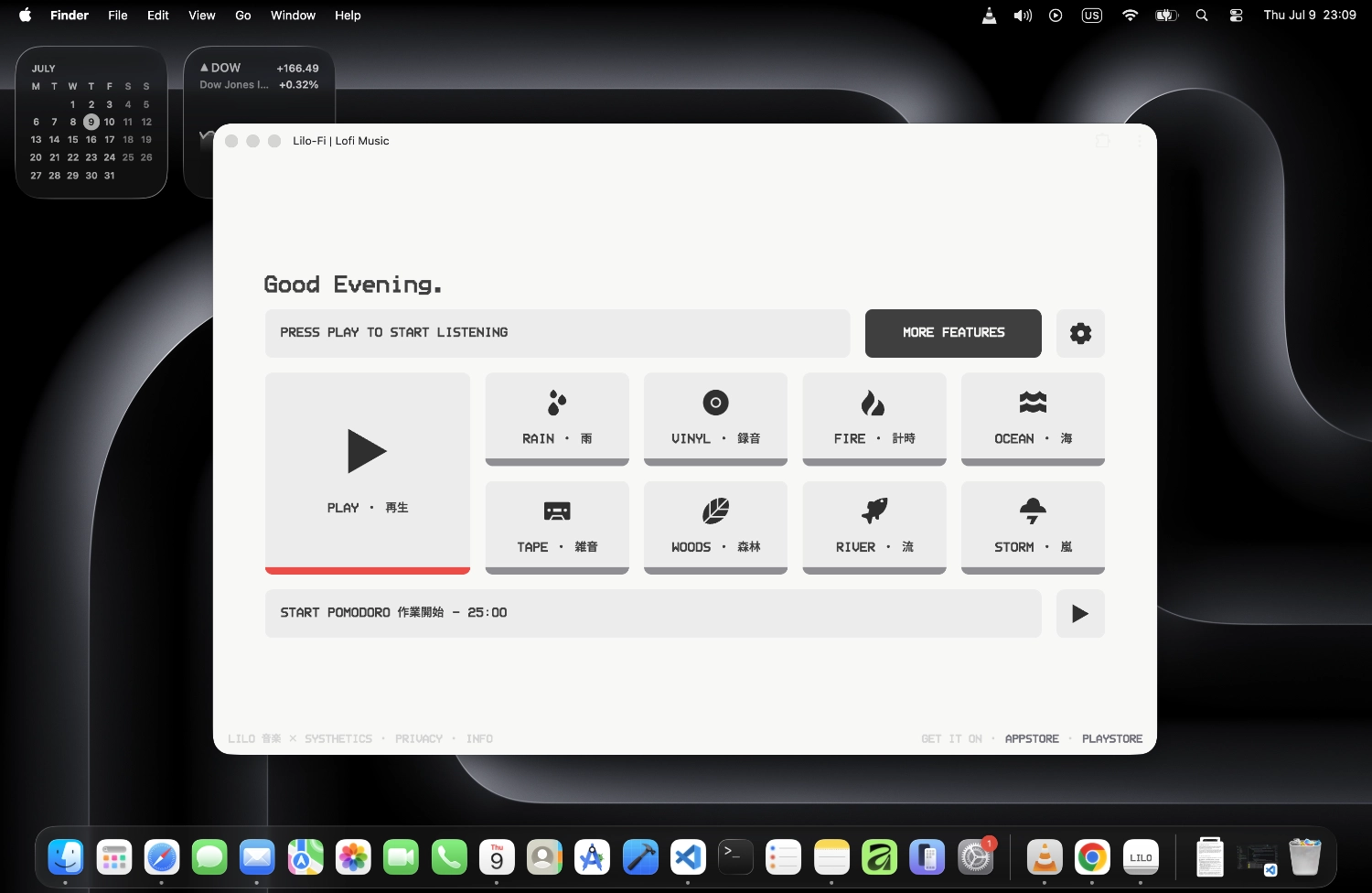
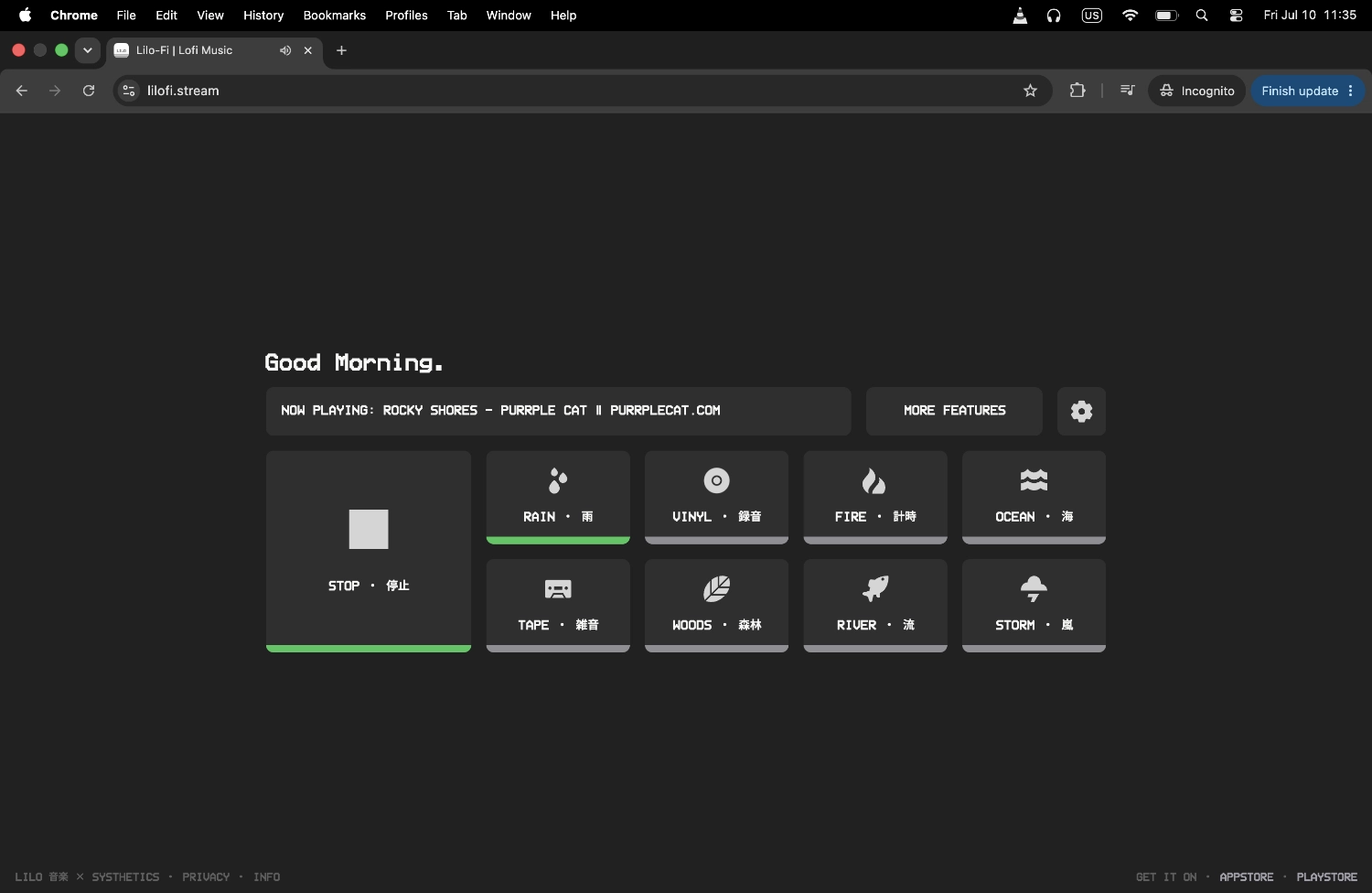
Lilo works differently. The Lilo-Fi radio and Rain ambience are separate layers. Start with the instrumental stream, then add as much rain as the room needs. Keep it subtle behind the music while you work, bring it forward when you want a softer rainy-window atmosphere, or remove it without interrupting the radio. The soundscape can change without your session having to.
Make Random Room Noise Less Noticeable
The most distracting sounds are often the ones you cannot predict: a conversation starting nearby, a vehicle outside, footsteps in a hallway, a door closing, or someone moving around in the next room. A steady layer of rain does not make those sounds disappear, but it can give them less empty space to jump out of.
That is the useful part of sound masking. Instead of chasing perfect silence, you create a more even background and let the lofi sit on top of it. Research on natural soundscapes has also found that water sounds can help mask noise and are associated with lower stress and annoyance in some settings. It is not a guarantee of better concentration for everyone, but it helps explain why rain and other water sounds are such common background choices. See the systematic review of natural sound research.
No Ad Breaking the Rain
A rain soundscape only works while it feels continuous. A commercial, spoken announcement, or sudden volume jump breaks that illusion immediately and turns background audio back into something demanding your attention.
Lilo-Fi stays ad-free on the website, and the Lilo-Fi station does not insert mid-stream ads in the app either. There is no account wall and no prompt asking whether you are still listening. Start the stream, set the rain where you like it, and leave both running in the background.
For Study, Reading, Work, or a Quiet Night
The same mix can feel very different depending on how you balance it. For focused work, keep the rain low and let the lofi provide most of the structure. For reading, a softer music level with steady rain can fill the room without putting words behind the words on the page. When you are winding down, bring the rain forward and let the beats sit further back.
There is no "correct" ratio. Some days you may want almost no ambience. Other days the rain is the part doing most of the work. Because the layers stay separate, you can adjust them without changing stations, restarting a playlist, or hunting for another video with a slightly different mix.
Rain Is Only One Layer
Rain is the easiest place to start, but it is not the only atmosphere available. Lilo also includes Storm, Ocean, Fire, Woods, River, Tape, and Vinyl. Each can sit underneath the same radio stream, which means you can keep the music familiar while changing the environment around it.
The broader ambient sounds page covers the full set. Use Rain when you want a soft continuous wash, Storm for something heavier, Ocean or River for moving water, Fire for a warmer room, or Tape and Vinyl when you want texture without turning the space into a nature soundscape.
More Ways to Listen
More ambient sounds
Swap rain for Storm, Ocean, Fire, Woods, River, Tape, or Vinyl when you want a different background texture.
Lofi music for reading
A lyric-free setup for books, articles, textbooks, and long reads where the music needs to stay behind the page.
Ad-free lofi radio
Keep the same calm soundscape running without a commercial, voiceover, or sign-in prompt cutting into the session.
Frequently Asked Questions
Keep the rainy room with you.
Still free. Still no ads.
The Lilo app keeps the Lilo-Fi stream on your phone and gives you the same ambient sound layers wherever you listen. Mix Rain underneath the radio, switch to Storm, Ocean, Fire, Woods, River, Tape, or Vinyl, and adjust the atmosphere around what you are doing.
You also get a built-in Pomodoro timer for structured study and work blocks, Zen Mode when you want the interface reduced to a simple clock, and a sleep timer for nights when the rain is there to help you wind down instead of get through a task. The Lilo-Fi station remains free to listen to with no mid-stream ads and no account required.
Free to download. No card and no trial required for the Lilo-Fi stream.